<p><strong># OD Mechanic V2</strong></p>
<p><strong>## Premium in-game mechanic location manager for FiveM</strong></p>
<p>Built by <strong>**Outlaw Developments**</strong>, OD Mechanic V2 gives your server a clean, modern mechanic system with an advanced in-game location editor.</p>
<p><strong>### What it does</strong></p>
<p>- Adds mechanic repair zones with fast vehicle repair interaction.</p>
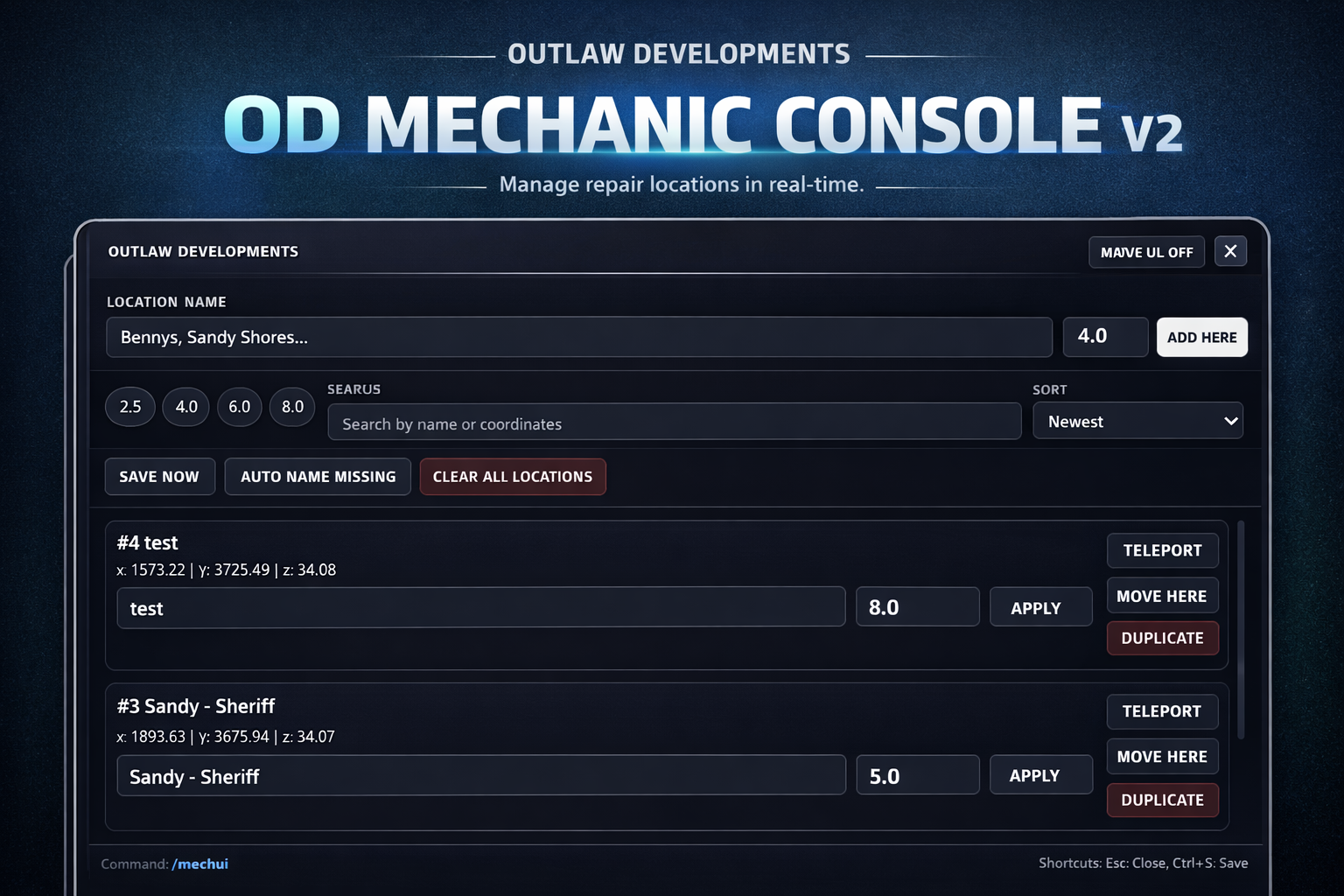
<p>- Lets admins create, edit, move, duplicate, and remove locations live in-game.</p>
<p>- Uses persistent FiveM KVP storage (no database required).</p>
<p>- Includes a full OD-style NUI panel with search, sorting, stats, and quick actions.</p>
<p><strong>### Main Features</strong></p>
<ul>
<li>Press <strong>**E**</strong> to repair when inside a configured mechanic radius.</li>
</ul>
<p>- In-game editor command: `/mechui`</p>
<p>- Add location at current position</p>
<p>- Rename and edit radius inline</p>
<p>- Teleport to selected location</p>
<p>- Move existing location to player position</p>
<p>- Duplicate location instantly</p>
<p>- Delete with confirmation</p>
<p>- Clear all + Save now controls</p>
<p>- Search/sort UI and location stats</p>
<p>- Auto-save + manual save support</p>
<p>- Responsive interface for multiple resolutions</p>
<p><strong>### Permissions</strong></p>
<p>Grant editor access with ACE:</p>
<p>`add_ace group.admin od_mechanic.editor allow`</p>
<p><strong>### Installation</strong></p>
<p>1. Put `od_mechanic` in your server resources.</p>
<p>2. Ensure it in `server.cfg`:</p>
<p> `ensure od_mechanic`</p>
<p>3. Restart the resource/server.</p>
<p><strong>### Compatibility</strong></p>
<p>- Standalone</p>
<p>- ESX compatible</p>
<p>- QBCore compatible</p>
<p><strong>### Why this is different</strong></p>
<p>This is not a basic mechanic marker script. V2 includes a full management workflow in-game so staff never need to shut down and edit config files just to maintain shop locations.</p>
<p><strong>### Support</strong></p>
<p>Join: <strong>**discord.gg/outlawdevs**</strong></p>